


Overview
When provisioning an instance, you may choose to deploy a supported Linux operating system using a prebuilt template or install your own operating system using a supported ISO.
This article explains:
-
Which operating systems are supported
-
How template-based deployments differ from manual installs
-
OS lifecycle and support expectations
-
Username and configuration guidance to avoid common issues
Supported Operating Systems
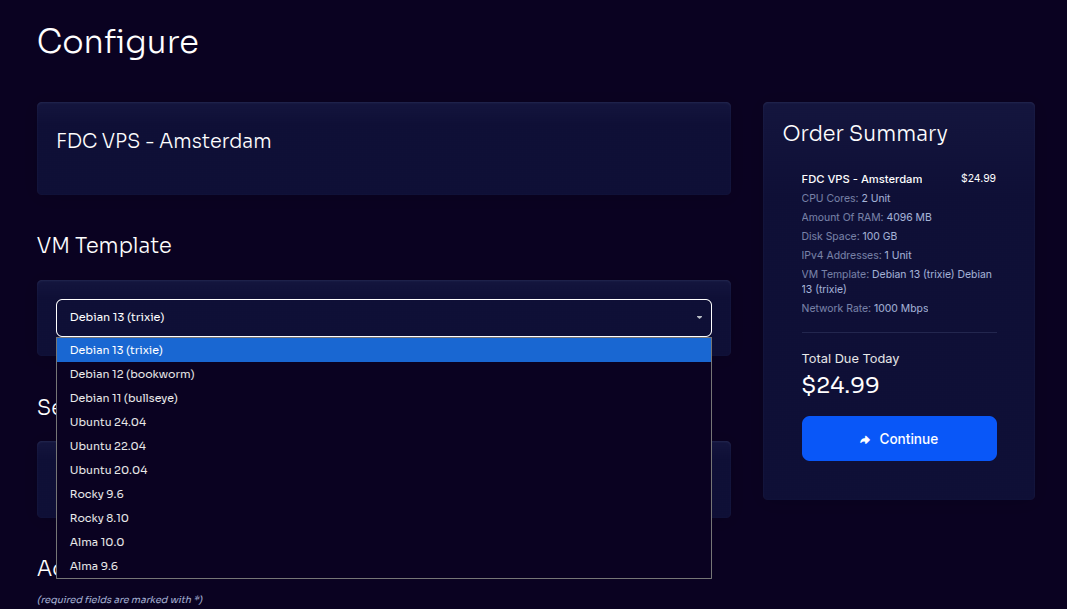
Linux OS Templates (Recommended)
Linux templates provide the fastest and most reliable deployment experience and are recommended for most users.
Commonly available templates include:
-
Ubuntu (LTS releases)
-
Debian
-
AlmaLinux
-
Rocky Linux
-
Other commonly used Linux distributions
Templates are:
-
Preconfigured for the platform
-
Network-ready on first boot
-
Fully supported by FDCServers
???? Advanced
Templates are optimized for compatibility with platform features such as live migration, automated recovery, and clean shutdowns.
Custom ISO Installations
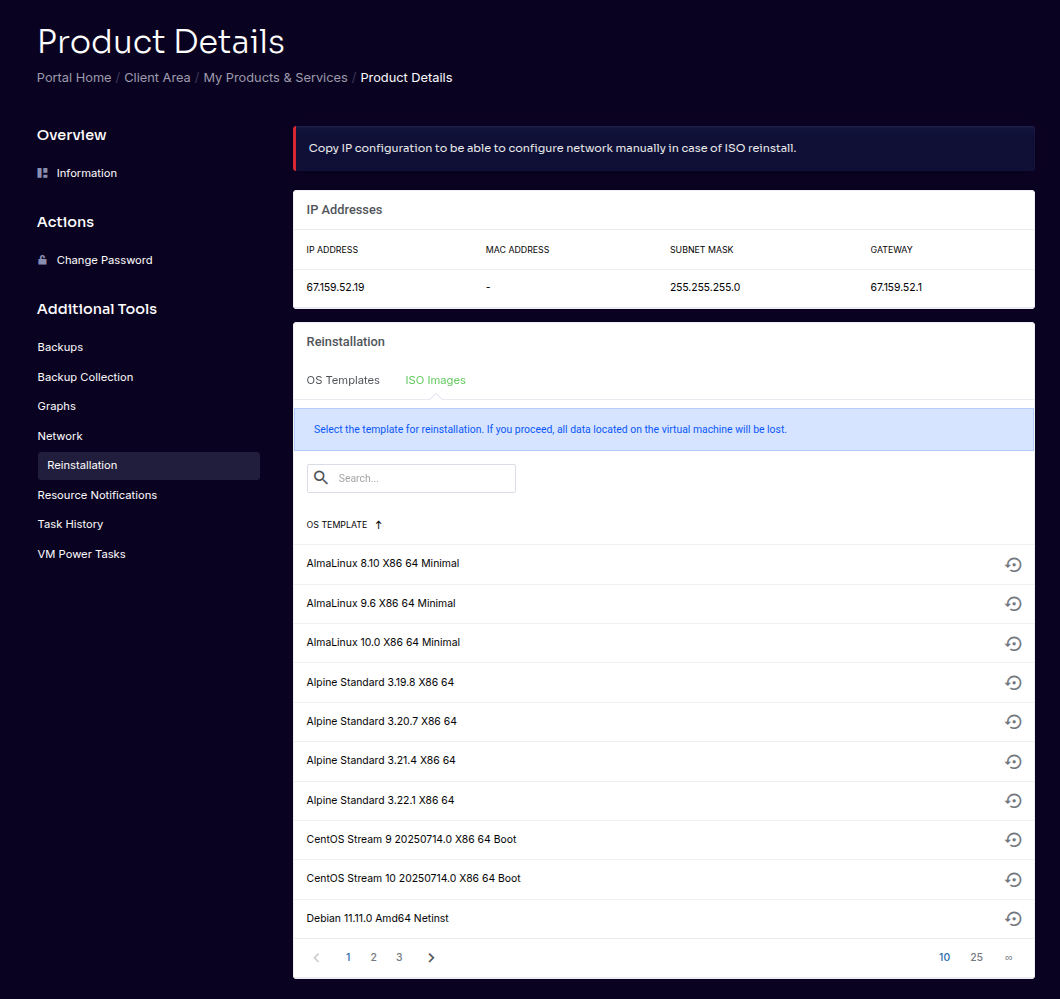
You may install your own operating system using a supported ISO image.
This option provides maximum flexibility but requires additional responsibility from the customer.
What You Can Do
-
Select an ISO from the supported library
-
Mount the ISO to your instance
-
Install the OS manually using console access
Customer Responsibilities (ISO Installs)
When installing your own operating system:
-
You are responsible for OS installation, configuration, and maintenance
-
You are responsible for licensing (except Windows)
-
You must ensure compatibility with platform requirements
⚠️ Required for Full Functionality
The following components must be installed:
qemu-guest-agent
cloud-init
Without these components, the instance may not support:
-
Live migration
-
Automatic recovery
-
Clean shutdowns
-
Accurate IP reporting
???? Advanced
Instances lacking required guest tools may be supported on a best-effort basis only.
Windows Operating Systems
Windows instances are supported under specific conditions and are handled differently from Linux instances.
-
Available on R3 plans and larger
-
Windows licensing must be purchased through FDCServers
-
Installation is performed only by FDCServers team members
-
Customers cannot install Windows themselves
-
Delivery may take up to 72 hours
-
Customers receive full Administrator access after provisioning
For full details, see Windows VPS Provisioning.
Unsupported and End-of-Life Operating Systems
We do not support:
-
End-of-life (EOL) operating systems
-
Operating systems no longer receiving security updates
-
Unsupported or unmaintained distributions
Our ISO library includes only operating systems within their supported lifecycle.
If you would like to request an additional ISO:
-
Contact support with the OS name and version
-
Requests are evaluated based on upstream support status
???? Advanced
Unsupported or EOL operating systems may prevent live migration, automated recovery, or other platform features.
Username & OS Configuration Guidance
Reserved Usernames
To avoid permission conflicts and access issues, do not use reserved usernames when creating users on your instance.
Avoid using:
-
root -
admin -
ubuntu -
Other distribution-default usernames
Recommended alternatives include:
-
user1 -
deploy -
test1 -
Any non-reserved, custom username
⚠️ Important
Using reserved usernames can interfere with automation, access controls, and platform tooling.
Summary: Choosing the Right Installation Method
| Option | Recommended For | Notes |
|---|---|---|
| Linux Template | Most users | Fastest, fully supported |
| Custom ISO | Advanced users | Requires manual setup |
| Windows VPS | Specific use cases | Manual provisioning only |