



Overview
Each instance includes network connectivity configured at the platform level and managed through the client portal. While most networking behavior is automatic, there are important limitations and requirements around IP allocation, changes, and reboots that customers should understand up front.
This article explains:
-
How IP addresses are assigned
-
How additional IPs work
-
When reboots are required
-
What types of IP changes are (and are not) supported
Default IP Allocation
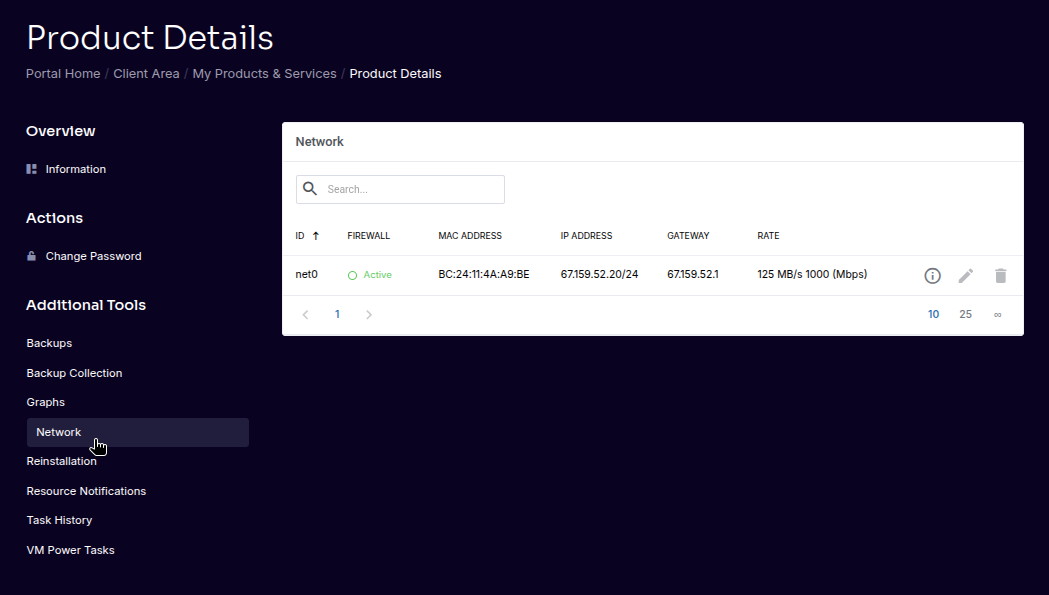
All instances include at least one IPv4 address by default.
-
Smaller plans include 1 IPv4 address
-
Larger plans include up to 5 IPv4 addresses
-
IP addresses are assigned at provisioning time
-
IPv6 support is coming soon
Additional IP Addresses
Additional IPv4 addresses may be available depending on your plan and use case.
Important Reboot Requirement
When an additional IP address is added to an instance:
-
A reboot is required for the new IP to become active
-
The reboot ensures the operating system correctly detects and applies the new network configuration
⚠️ Important
Network changes involving IP allocation do not take effect until the instance has been rebooted.
???? Advanced
The platform assigns IPs at the hypervisor level. Guest operating systems must reinitialize networking to apply the updated configuration.
IP Changes & Swaps
IP address changes are generally not supported.
Key points:
-
All IPs are allocated from the same address block
-
Switching IPs without a valid reason is typically not possible
-
IP changes are handled at FDCServers’ discretion
Valid reasons for IP changes may include:
-
Documented abuse issues
-
Routing or infrastructure-related problems
⚠️ Important
Requests to “just change the IP” without a valid reason are usually denied without specific justification.
Bandwidth & Traffic Policy
Bandwidth Model
-
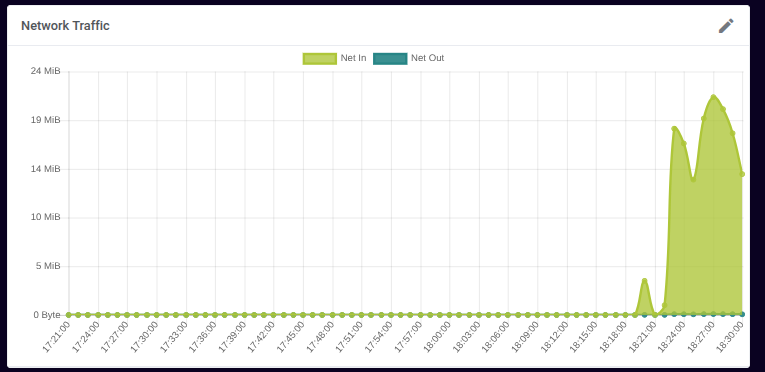
Traffic is unmetered
-
Bandwidth is rate-limited per plan
-
Entry-level plans start at 10 Mbps
-
Larger plans scale up to 20+ Gbps
Traffic Enforcement
Traffic patterns that negatively impact platform stability or other customers may be restricted without notice.
???? Advanced
Sustained traffic at your plan’s maximum rate is allowed. Enforcement targets abusive or destabilizing patterns, not normal usage.
Firewall Responsibility
The platform does not currently provide a customer-facing firewall interface.
-
Firewall configuration is managed inside the operating system
-
Customers are responsible for configuring OS-level firewalls
-
No dashboard-level firewall rules are currently supported
⚠️ Important
Misconfigured OS firewalls are a common cause of connectivity issues and are outside platform-level support.
Summary
-
Every instance includes at least one IPv4 address
-
Adding IPs requires a reboot
-
IP swaps are generally not supported
-
Bandwidth is unmetered but rate-limited by plan
-
Firewall configuration is handled inside the OS
Understanding these constraints helps avoid unexpected downtime and support delays.