



Overview
Snapshots and backups are provided to help protect your instance against accidental data loss and to enable quick recovery from common issues. On this platform, backups are implemented using snapshots, and both share the same characteristics and limitations.
This article explains:
-
How snapshots and backups work
-
What is included in backups
-
Retention and restore behavior
-
Important limitations you should plan around
How Backups Work
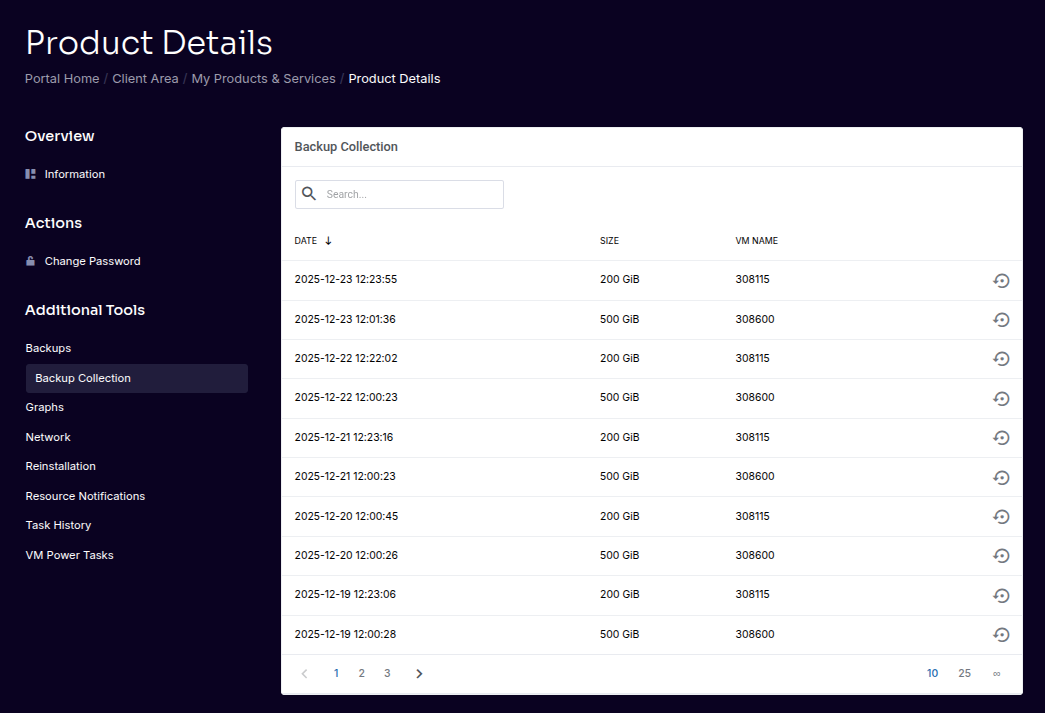
All instances include daily backups by default.
Backup characteristics:
-
Backups are taken once per day
-
Retained for 14 days
-
Restores are self-service via the client portal
-
Backups are implemented using snapshots of the instance disk
⚠️ Important
Because backups are snapshot-based, they are crash-consistent, not application-aware.
Snapshots vs. Backups
On this platform:
-
Snapshots are the underlying mechanism
-
Backups are scheduled, retained snapshots
There is no functional difference in how data is captured—only in when and how long snapshots are retained.
???? Advanced
Snapshots capture the state of the virtual disk at a moment in time. They do not coordinate with applications running inside the instance.
Snapshot Retention & Limits
-
Snapshots are retained according to the backup schedule (14 days)
-
We retain a maximum of 10 snapshots, each being available for a 14 day period.
-
Fair-use policies are enforced quietly to maintain platform performance
⚠️ Important
Excessive snapshot usage may be restricted without notice.
Restoring from a Snapshot
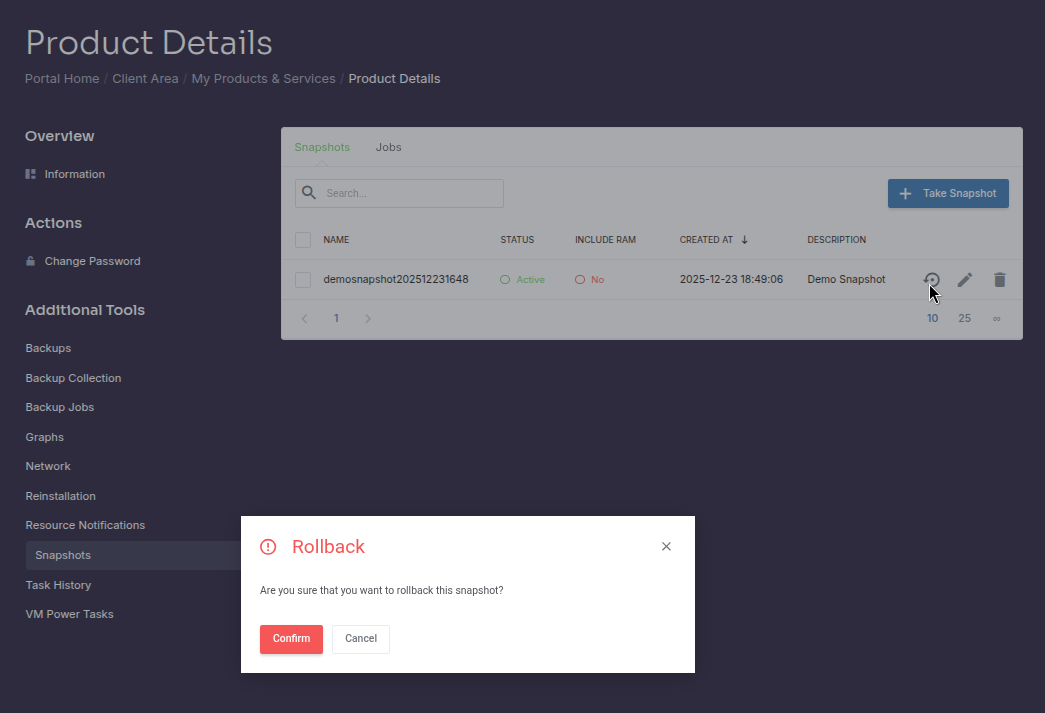
Snapshots can be restored directly from the client portal.
When restoring:
-
The instance disk is reverted to the selected snapshot
-
All data written after that snapshot is lost
-
The instance may be rebooted as part of the restore process
⚠️ Important
Snapshot restores are destructive and cannot be undone.
What Snapshots Do Not Protect Against
Snapshots and backups do not protect against:
-
Application-level corruption
-
Logical data errors
-
Accidental deletion outside the snapshot window
-
Malware or ransomware active at snapshot time
???? Advanced
Databases and transactional workloads should flush or quiesce data before relying on snapshots for consistency.
Snapshots Are Not a Backup Strategy
Snapshots are designed for:
-
Short-term rollback
-
Accidental changes
-
Fast recovery from common issues
They are not a substitute for:
-
Off-platform backups
-
Cross-region replication
-
Long-term archival storage
⚠️ Strong Recommendation
For critical data, maintain backups outside the VPS platform.
Best Practices
To use snapshots effectively:
-
Treat snapshots as short-term safety nets
-
Do not rely on them as your only backup
-
Test restores periodically
-
Maintain independent backups for critical workloads
Summary
-
Daily backups are included and retained for 14 days
-
Backups are snapshot-based and crash-consistent
-
Restores are self-service but destructive
-
No hard snapshot limits, fair-use enforced quietly
-
Snapshots are not a replacement for proper backup strategies
Related Articles