


What is FDC CDN?
FDC’s Content Delivery Network (CDN) accelerates your content by caching it on globally distributed edge servers. Visitors are automatically served content from the nearest available location, improving load times and reliability.
In FDC CDN, content is delivered through endpoints.
An endpoint connects:
-
An origin (where your content lives)
-
One or more delivery domains (how users access that content)
Creating Your First Endpoint
Step 1: Log in to the FDC Portal
Log in at: https://portal.fdcservers.net

Step 2: Open Your CDN Service
-
Go to Dashboard
-
Under Active Products / Services, select
CDN – FDC Content Delivery Network -
Click Manage
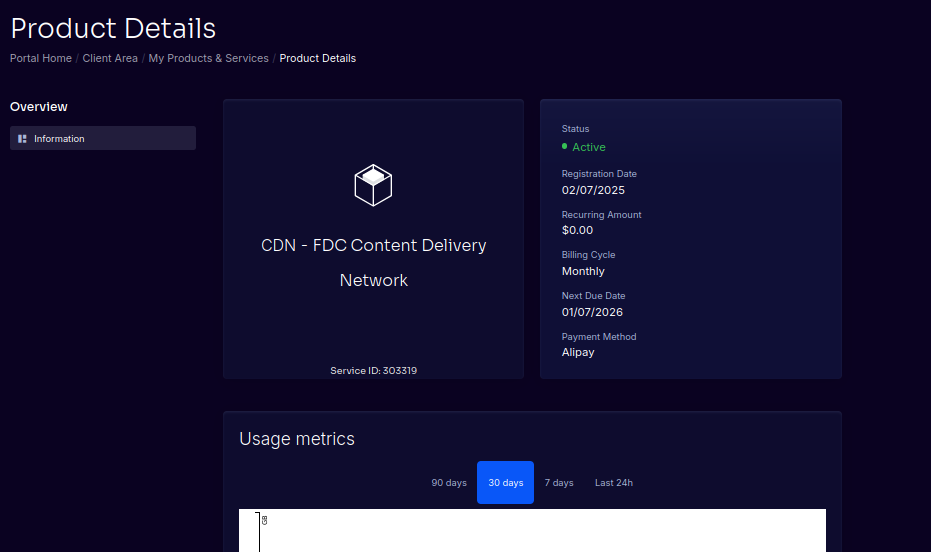
Step 3: Create an Endpoint
-
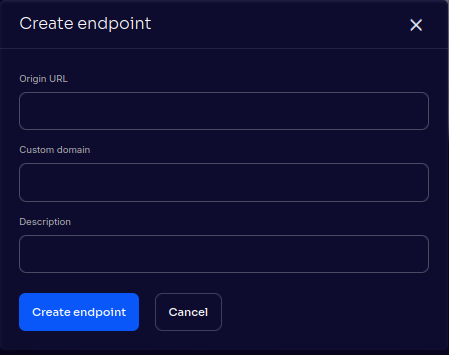
In the Endpoints section, click the ➕ button
-
Fill in the endpoint details:
Origin
- Enter a hostname or IP address
- Optional port may be specified (example:
origin.example.com:8080) - HTTPS origins must present a valid SSL certificate
⚠️ Note:
IP-based origins are supported, but HTTPS requests may fail if the certificate cannot be validated. For best results, use a hostname.
Custom Domain (optional)
- Enter a domain without
http://orhttps://
Example: cdn.example.com
Description
- Optional, for your own reference
-
Click Create Endpoint
Once created, the CDN automatically generates a system delivery URL for the endpoint.
You can use this immediately for testing.
Testing Your Endpoint
After creation, your endpoint will show:
-
A system-generated CDN URL
-
Any custom domains you’ve added
You can test content delivery using the system-generated URL before configuring DNS.